
AI Ads Generator

Understanding the Role of an AI Ads Generator in Digital Marketing
Before choosing an ai ads generator, settle four things: the campaign inputs you can supply, the output formats you can actually use, the brand constraints that apply, and who signs off. Strategy, platform setup, and the final editorial call stay with the team and its existing workflow. For more on this topic, see OpenAI Ads Manager Beta: Paid Campaigns in ChatGPT.
Give the ai ads generator a fixed place in that workflow. A brief can name the product, the value proposition, the action you want, the tone, the placement, and the language. Whatever comes back is editable material, judged against the same standards as any other campaign creative.
Use advertising terminology consistently with approved product information and brand language. If the team reviews company descriptions in search or answer interfaces, treat that as a separate activity, not evidence of advertising delivery or performance.
Assign ownership before implementation. Clarify who provides the positioning, audience criteria, approved evidence, and commercial priorities; who approves the creative; and who manages deployment and analysis. Faster production does not replace these decisions.
Core Features and Capabilities to Evaluate
Begin with input control. A suitable generator should let users specify the audience, offer, objective, channel, tone, call to action, prohibited language, and required brand terms. Look for reusable brand profiles and campaign briefs rather than relying on a single open prompt. Granular controls make it easier to distinguish deliberate creative variation from random rewriting.
Judge an ai ads generator by the formats your campaign actually needs and the editing controls it puts in your hands. Can you revise individual elements, hold approved wording in place, keep the visual identity consistent, and export files your team can use downstream? Placement previews, where they exist, make those checks much quicker.
Governance features deserve equal attention. Consider role-based access, approval stages, version history, shared asset libraries, and clear separation between drafts and approved material. Teams handling several products or regions may also need workspace organization, language support, terminology rules, and a way to identify which brief produced each asset.
Review how outputs fit the existing marketing stack, including design, asset-management, publishing, and review systems. For campaign pages published as articles, Schema.org’s Article type includes a wordCount property that records the number of words in the CreativeWork. [Source: Article - Schema.org Type]
Finally, test the output against representative briefs. Assess factual fidelity, brand consistency, editability, and the usefulness of variations—not just the polish of the first result. A controlled trial using real campaign constraints offers a clearer comparison than a generic product demonstration.
Evaluate background elements and recurring graphic assets against the campaign’s visual requirements. The linked google search central guidance is a separate reference, not evidence that ad software will produce coherent assets across formats.
Workflow Integration: From Prompting to Ad Deployment
Integration works best when generation becomes one defined stage in the campaign workflow rather than an isolated shortcut. Assign ownership for the brief, prompt, review, approval, export, and platform setup. The following sequence can be adapted to an existing creative process without allowing generated drafts to bypass normal decisions.
- Define the campaign brief: Specify the audience, offer, objective, intended placement, desired action, brand voice, required wording, and exclusions. Provide the product facts the system may use instead of asking it to infer them.
- Build a structured prompt: Translate the brief into clear instructions for the format, message hierarchy, tone, length, and number of variants. Separate fixed brand requirements from elements that allow creative variation.
- Generate a focused batch: Request enough alternatives to compare distinct angles without building an unwieldy library. Group outputs by concept, audience, or offer so reviewers can quickly identify what changed.
- Review and revise: Check each draft against the brief, approved product information, brand language, visual standards, and placement constraints. Edit promising concepts directly rather than prompting repeatedly for superficial variations.
- Approve and package assets: Route selected versions to the appropriate stakeholders. Use clear names, preserve source files, and attach the destination channel, format, and campaign identifier to each approved asset.
- Deploy through existing controls: Move authorized creative into the chosen publishing system, then complete the campaign’s targeting, budget, schedule, destination, and tracking fields through the designated workflow.
This sequence connects machine-assisted drafting with accountable campaign execution. It gives teams a repeatable checkpoint to reject, edit, approve, or archive each variation before deployment.
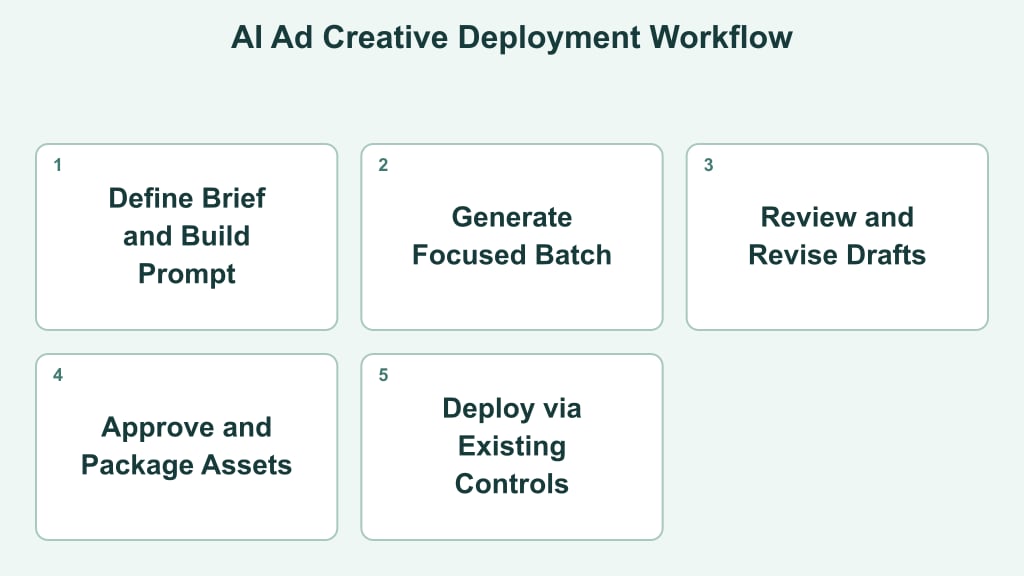
Infographic at a glance
Visual summary of the key points on the subject.



Ad Creative Formats and Platform-Specific Examples
Creative should be adapted to the placement rather than resized from one master design. The following concepts illustrate how format, message, and platform behavior can shape execution:
- Search ad for a project-management trial: Draft several compact headline combinations around one specific intent, such as replacing spreadsheets or coordinating client work. Pair each with descriptions that name the trial, the primary capability, and the next action. Keep claims in line with the landing page, and give branded, competitor, and problem-based themes their own ad groups rather than mixing them into one.
- Vertical social video for a meal-planning app: Build a nine-to-sixteen-second sequence that opens on a cluttered weekly plan, moves into a short product demonstration, and closes with a clear download prompt. Keep on-screen captions readable, and save the final frame for the brand mark and offer. Alternate hooks can suit Instagram Reels, TikTok, and YouTube Shorts while the core proposition stays the same.
- Professional feed carousel for a B2B analytics service: Build five cards: a recognizable reporting problem, two workflow improvements, a simple interface view, and a consultation prompt. LinkedIn copy can provide business context, while each card should still make sense when viewed alone. Avoid decorative charts that imply unsupported performance.
For display placements, simplify further: one focal image, a short benefit statement, visible branding, and one action. Native ads may need a more editorial image and restrained wording. During evaluation, review legibility at actual placement size, message continuity, and whether the generated visual matches the platform's aspect ratio and tone.
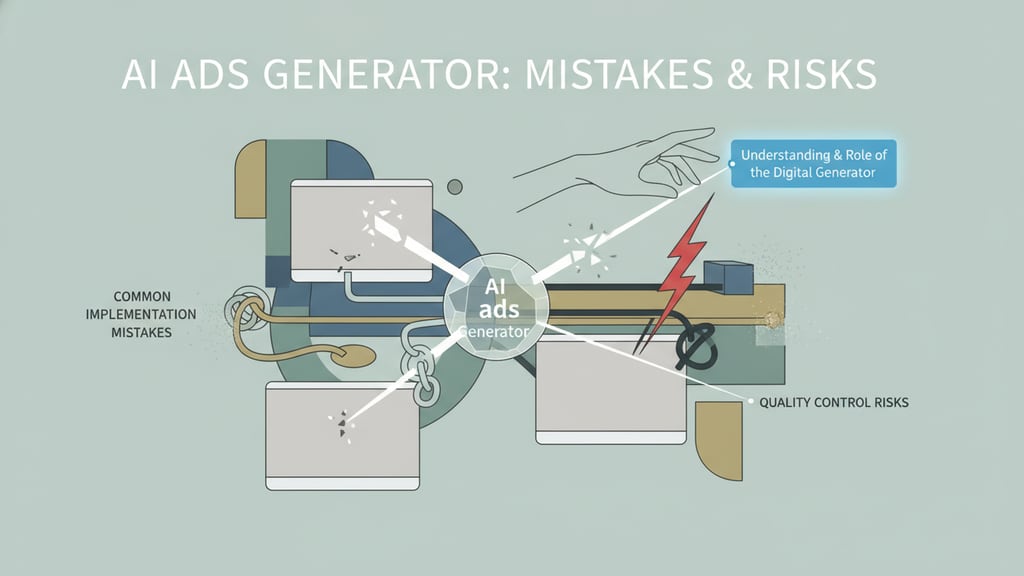
Common Implementation Mistakes and Quality Control Risks
Keep generation and approval as distinct stages. Agree on the editorial, brand, and deployment criteria first, so every draft has a clear bar to clear before it reaches an audience.
- Vague input briefs: Replace broad requests such as “make a compelling ad” with a brief that identifies the audience, offer, placement, approved proof points, exclusions, and intended action.
- Product accuracy reviews: Check each factual claim against the current official product documentation, cutting anything unapproved or out of date before launch.
- Brand consistency controls: Set out approved messaging guidelines and reference samples so copy and visuals stay aligned across every generated variant.
- Ignoring the destination: An ad may promise one benefit while its landing page emphasizes another. Confirm that the offer, audience language, and call to action continue coherently after the click.
- Placement previews: View each asset in the platform's own preview tools, where awkward cropping, truncated text, and formatting slips surface well before the campaign goes live.
- Human approval steps: Build in an editorial review stage where qualified team members check copy quality, targeting inputs, and brand alignment before anything goes live.
Quality control should also flag duplicated concepts being treated as separate tests. Change one meaningful element—such as the hook, proof point, visual framing, or offer—while keeping unrelated variables stable enough to support a useful interpretation.
Performance Optimization, Data Boundaries, and Next Steps
Set clear boundaries for the information supplied to generative systems, and define how campaign results will be assessed. For enterprise use, assign responsibility for creative assets, audience information, access permissions, and model settings. Avoid unsupported claims about visibility in search or answer platforms.
- Data boundary governance: Check a service’s stated retention, training, access, and deletion terms against your organization’s requirements before handing over proprietary campaign or audience data.
- Structured metadata alignment: Map published article content to standard Schema.org properties — for example, wordCount to record the length of the creative body.
- Crawler accessibility: Maintain clear rules in robots.txt to ensure specialized web crawlers can verify submitted ad landing pages or search listings appropriately [Source: Overview of OpenAI Crawlers].
- Monitor capabilities and features: Track what the tool can do, how drafts perform, and how accurate they are. Then adjust your prompts to fit the creative workflow you already use.
Choosing an automated ad platform requires balancing execution speed with brand governance and platform requirements. Identifying production bottlenecks and establishing clear prompt guidelines helps streamline creative workflows. Teams can evaluate performance using a pilot campaign while maintaining standard editorial reviews and sign-offs before expanding production across channels.