
Search Citation Generator
How Citation Generators Support Digital Research
A search citation generator converts source details into a structured reference, helping researchers move from web discovery to usable attribution. Its role is primarily organizational: it collects elements such as the author, page title, publisher, date, and URL, then arranges them according to a selected style. The result is a practical starting point, not a substitute for reviewing the source or confirming its details.
This distinction matters because digital research often combines webpages, reports, videos, articles, and other formats with inconsistent metadata. A generator can normalize those inputs so references are easier to manage across drafts. It may also help a team apply one citation style consistently when several contributors are working on the same document.
For answer-engine visibility, citations serve another purpose: they connect a claim with a clearly identified source. Citation software does not make a page authoritative or ensure that an AI system will mention it, but it helps writers represent the source coherently.
The most useful approach is therefore to treat generated references as editable research records. Researchers can use them to maintain attribution while evaluating relevance, context, and source quality separately.
What to Look for in Citation Software
Begin with input flexibility. A search citation generator should accept the source identifiers your team regularly encounters, while also allowing manual entry when automatic lookup is incomplete. The editing interface should expose individual fields rather than locking users into an unchangeable result.
- Relevant style coverage: Confirm that the tool supports the required edition of each citation style, not merely a similarly named format.
- Missing-field visibility: Prefer an interface that identifies absent authors, dates, publishers, or titles before export.
- Source-type controls: Look for distinct formats for webpages, journal articles, books, videos, and other materials used in your workflow.
- Export compatibility: Assess whether references can move cleanly into your document editor, bibliography manager, or shared research system.
- Editable organization names: Check that brand and publisher entities can be corrected when a page uses abbreviations or inconsistent naming.
Bibcitation, for example, says it can accept a link, DOI, ISBN, or title, format references in more than 10,000 styles, and import BibTeX or RIS files. It also offers Google Docs, Word, and browser integrations, uses Citation Style Language for formatting, and flags details it could not find so the user can add them.
Evaluate usability with representative sources rather than a polished homepage example. Test a corporate page, an undated article, and a source with both an individual author and an organization. The preferred tool should expose individual metadata fields, preserve corrections, and fit the team's actual publishing environment.
How AI Engines Like ChatGPT and Perplexity Process Sourced Data
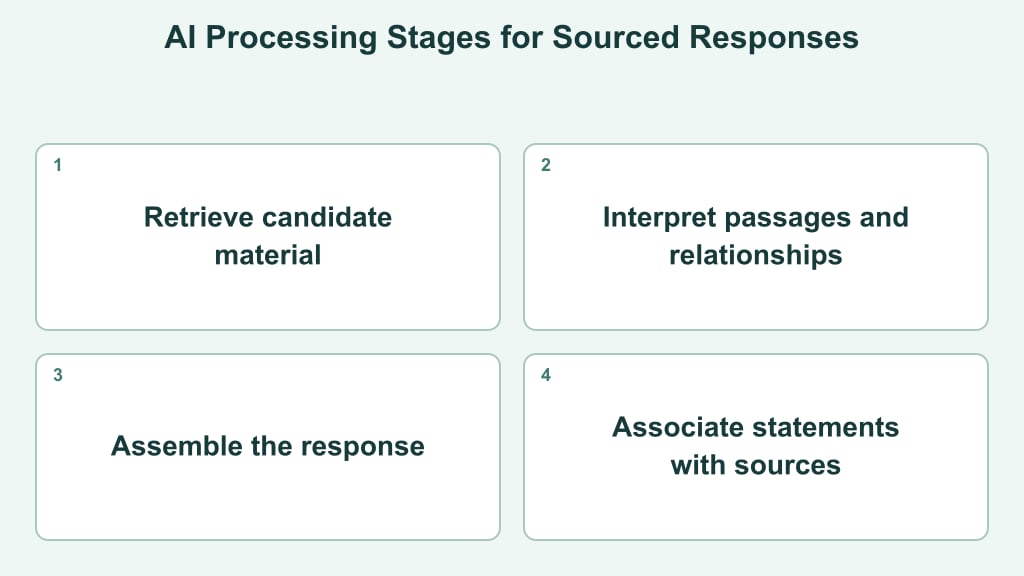
When an automated system processes web data to surface information, it evaluates content through several functional steps. The system locates candidate material, interprets textual context, and links key passages to potential sources. The precise representation of retrieved references varies based on the specific platform, query structure, and processing mode.
Different discovery tools and Search features vary in how they fetch, evaluate, and display web sources. An explicit reference shown in an interface indicates how a system connected a specific answer to web content. Likewise, organizing references in a citation tool assists internal document preparation without dictating how third-party platforms select links.
For publishers, the primary task is ensuring a page communicates its structure clearly. Clear organization names, descriptive page titles, identifiable authors, and focused textual content reduce ambiguity for readers and automated parser scripts alike. Distinct web pages should also maintain consistent details across related topics.
Brand mention tracking provides an observational perspective. Teams can review relevant queries across discovery tools, note whether a brand appears, and evaluate cited pages alongside uncited mentions. These observations reflect visibility for specific prompts rather than a complete account of an engine's internal processing.
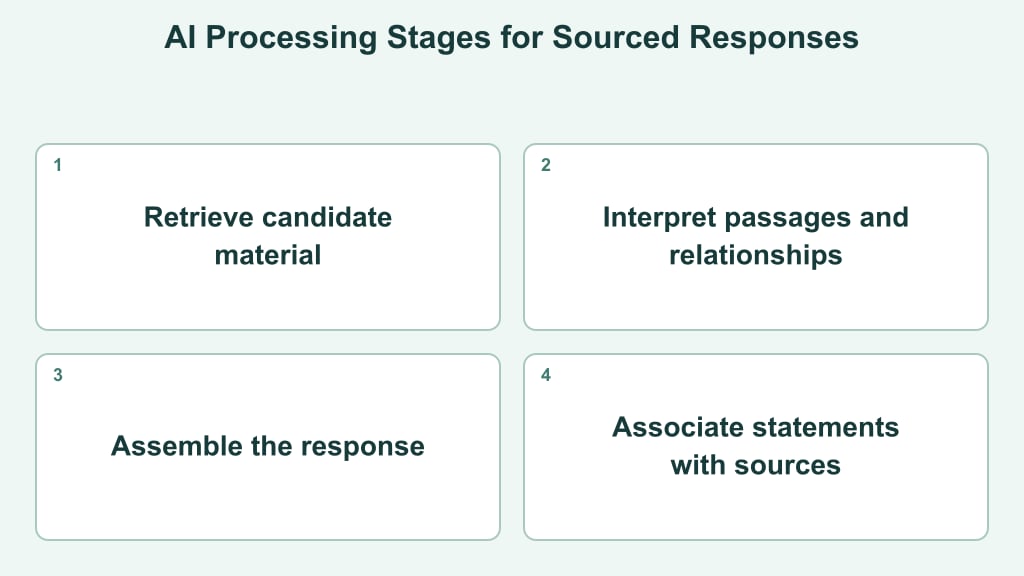
Infographic at a glance
Visual summary of key considerations for a search citation generator.



Step-by-Step Workflow for Formatting and Verifying Web Citations
- Capture the canonical source: Start with the page that contains the original claim rather than a search result, social post, or syndicated copy. Save its URL and note the specific passage being cited.
- Identify the source type: Classify the item as a webpage, report, journal article, video, or another format. This determines which fields the citation requires and helps avoid treating a page title as a publication title.
- Collect the visible metadata: Find the named author or organization, page title, publisher, publication or update date, and DOI when available. Record missing fields as unknown instead of guessing.
- Generate the reference: Enter the URL, DOI, ISBN, or title and select the required style. Bibcitation, for example, looks up source details and formats references through Citation Style Language; it also flags details it could not find for manual completion.
- Check every generated field: Compare the output with the source page. Pay particular attention to corporate authors, capitalization, dates, edition details, and URL parameters. Remove tracking strings when they are not part of the canonical address.
- Test the destination: Open the finished reference in a clean browser session and confirm that it reaches the intended evidence, not a homepage, redirect, or inaccessible preview.
- Place and monitor the citation: Attach it directly to the supported statement. For brand mention tracking and answer-engine visibility across ChatGPT, Gemini, Google AI Overviews, and Perplexity, periodically review whether the cited page, entity name, and underlying claim still align.
Common Citation Errors That Impact Brand Visibility and SEO Accuracy
A styled reference can still create ambiguity when underlying identity details are inconsistent. One frequent issue is inconsistent entity naming—using a shortened brand, parent company, or product domain interchangeably. Using the exact name from the source maintains clarity across references.
Citing an indirect source can also introduce confusion. Automated tools may pull a press roundup or secondary URL rather than the original publication, directing readers toward an intermediary. Selecting the primary source and removing tracking parameters ensures clear attribution.
Metadata discrepancies require careful verification. Automated parsers can capture template dates, omit corporate authors, or conflate headlines with site titles. Comparing generated metadata against the visible source page helps maintain accuracy before publishing.
Attaching a single citation to a paragraph with multiple distinct assertions can obscure sources. Placing references directly after the statements they support ensures clear alignment between claims and underlying evidence. Maintaining consistent spelling and exact source links provides a clean foundation for content audits.
Technical Limitations of Automated Citation Tools and Best Practices
Automated tools depend on the metadata they can extract or the details a user supplies. Pages built with scripts, incomplete structured fields, multiple publication dates, paywalls, redirects, or unusual templates may produce blank or misplaced entries. A generator can format available information, but it cannot determine whether a claim is accurate, whether a source is authoritative for the topic, or whether the selected page is the original evidence.
Tool output may also vary by citation style, source classification, and interpretation of organizational authorship. A report entered as a webpage can receive different fields from the same report entered as a publication. Likewise, an update date may be mistaken for the original publication date. Treat these differences as review prompts rather than assuming one output is definitive.
Use automation for collection and formatting, then apply a consistent editorial layer. Retain a source snapshot or research note, compare each field with the page, and keep the required style guide available for uncertain cases. Making statements specific and placing sources nearby maintains clarity across references, helping distinguish direct citations from uncited mentions.
Choose a tool by its source coverage, editable fields, style support, and transparency about missing data—not by speed alone. Test it with several representative sources, review the outputs manually, and establish one verification routine for your team. The practical next step is to run a small citation audit and note which fields repeatedly require correction before adopting the generator more broadly.